

On a , you must be an
admin user to access this area of the DB Console. Refer to .cockroach debug zip yourself from an environment that can connect to the cluster. The DB Console does not collect diagnostics.
To view this page, , click Advanced Debug in the left-hand navigation, and click Generate Debug zip in the Reports section.
Required privileges
To view the Generate Debug zip page, the user must be a member of theadmin role or must have the VIEWDEBUG defined.
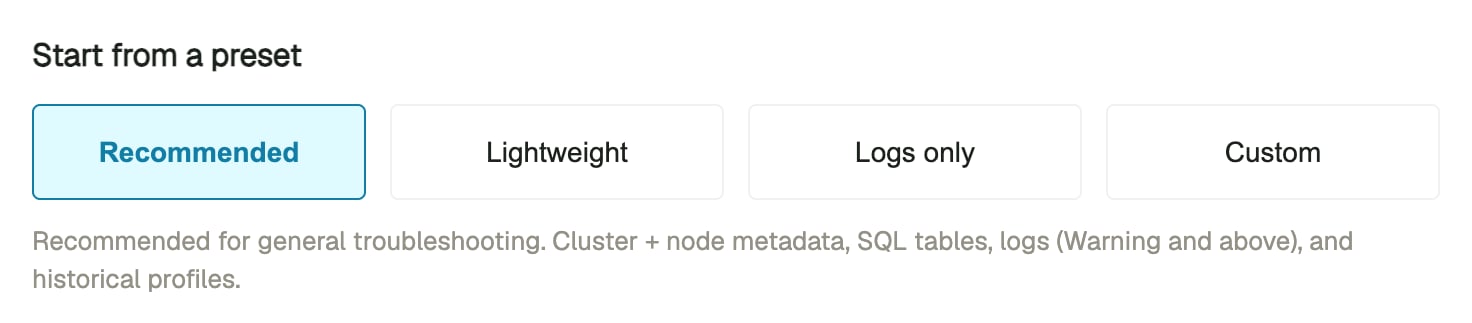
Presets
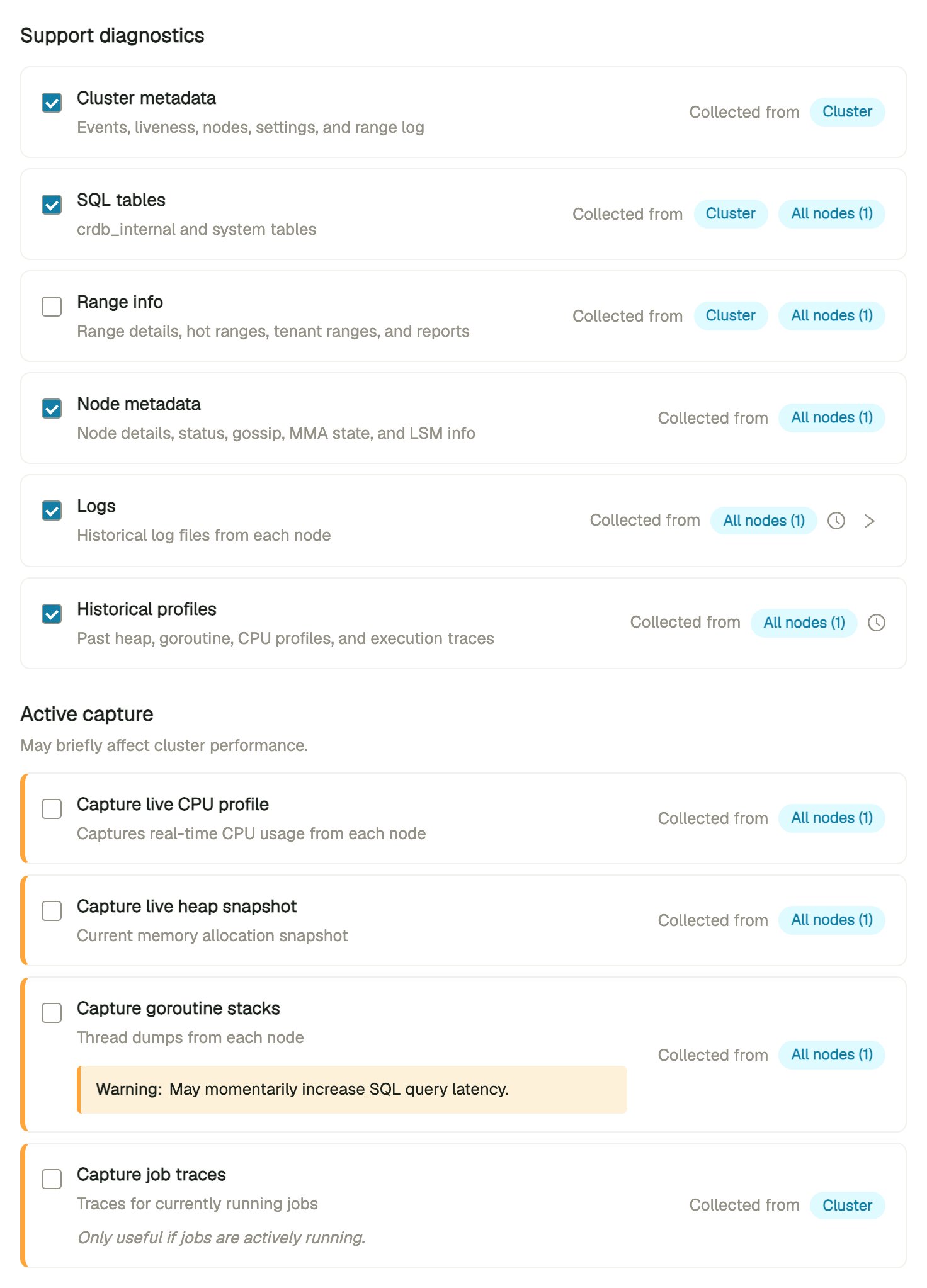
Categories
Scope
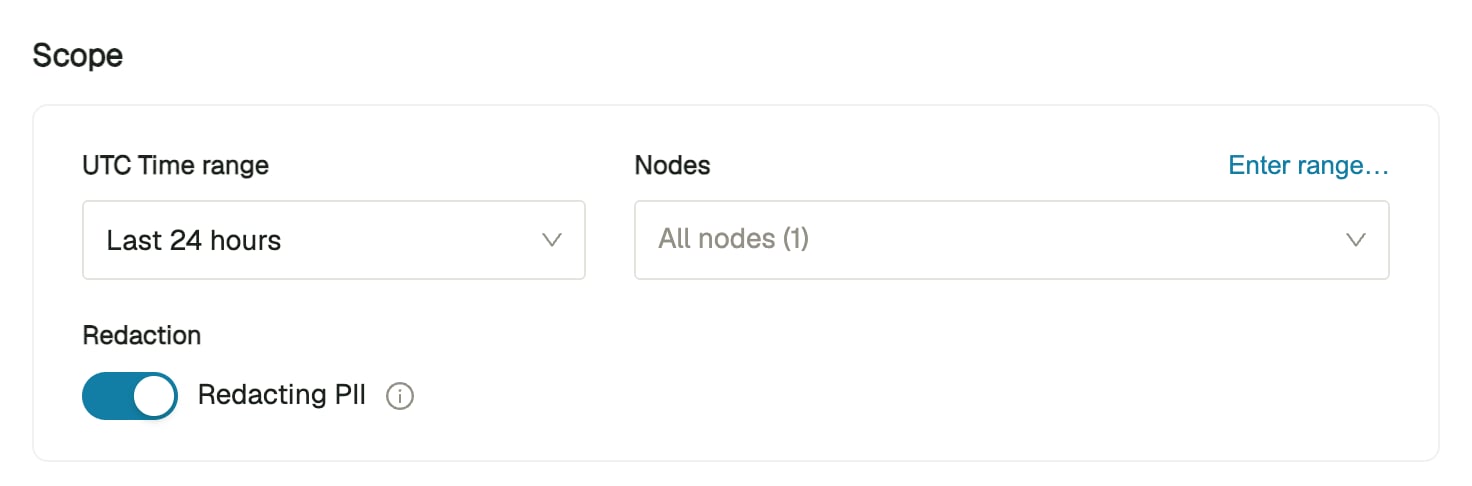
- UTC Time range: Limit collection of log files, goroutine dumps, and heap profiles to a UTC time range. Select Last 24 hours, Last 48 hours, Last 7 days, or Custom range to enter a start and end. The default is Last 24 hours.
- Nodes: Collect from specific nodes by selecting them or entering node IDs or ranges, or select all nodes.
- Redaction: Redact from the generated
.zip. Redaction is enabled by default.
Connection
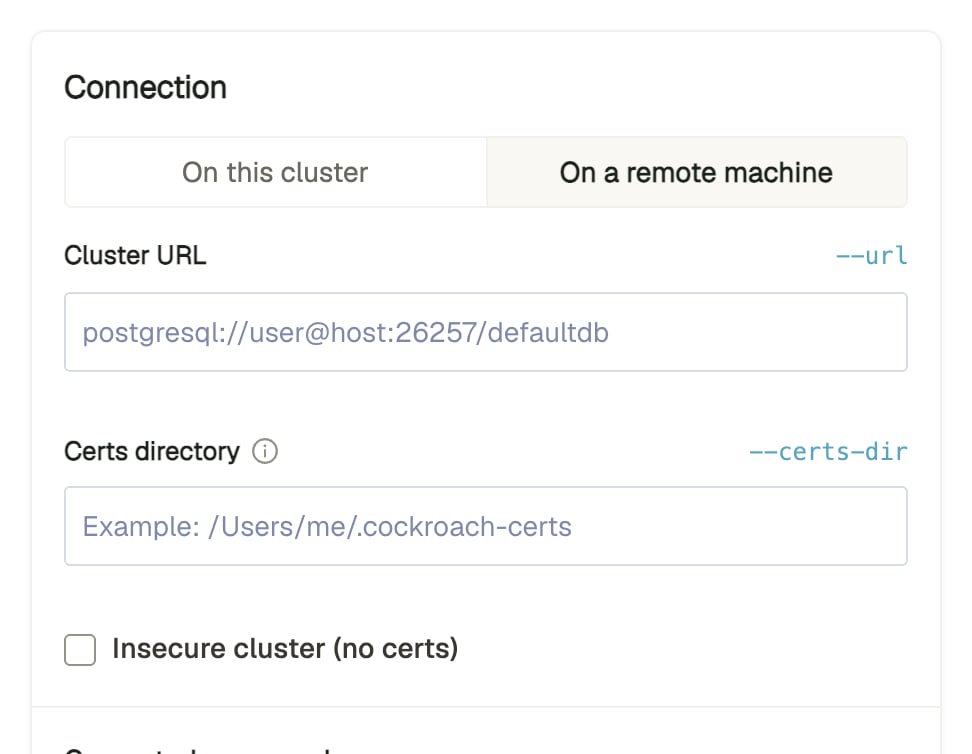
- On this cluster: Run the command from a node of the cluster you are viewing. The page fills in the cluster’s connection URL (
--url) and detects its security mode. On a secure cluster, enter the path to your certificate directory in Certs directory (--certs-dir). - On a remote machine: Run the command from a machine outside the cluster. Enter the cluster’s connection URL in Cluster URL (
--url) and, on a secure cluster, the path to your certificate directory in Certs directory (--certs-dir). For an insecure cluster, select Insecure cluster (no certs) (--insecure).
Generated command
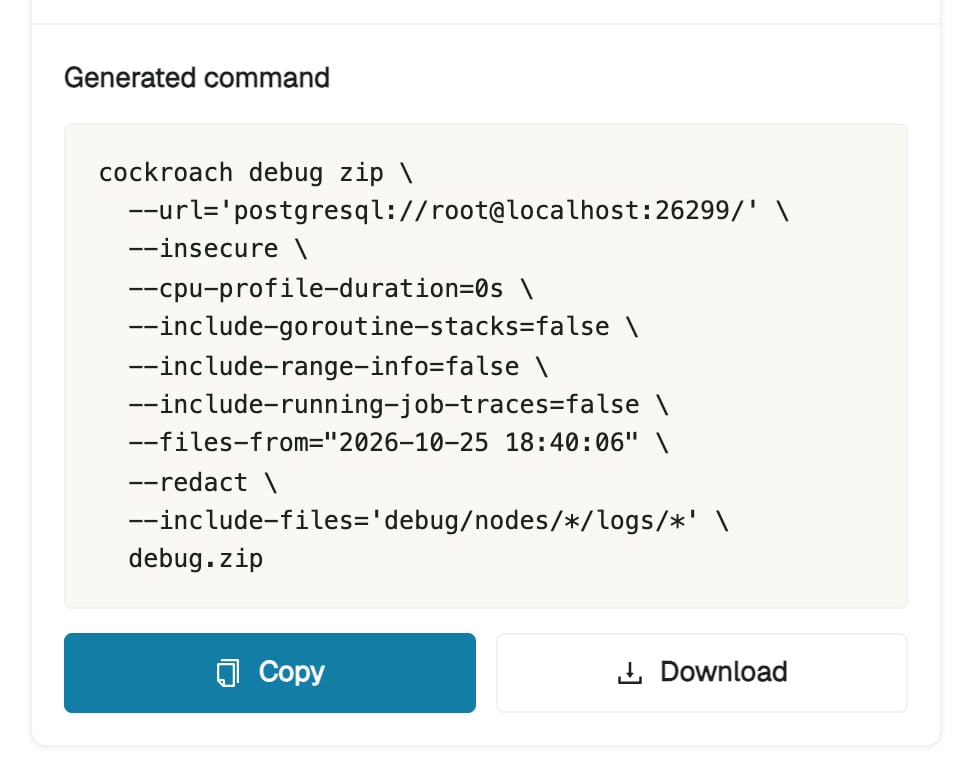
collect-debug-zip.sh script. Run the command or script from an environment that can connect to the cluster, using a cockroach binary that matches the cluster’s version.